
2 min read
New in ATRIUMA: future development on the map, easier filters and rental rules
See what may be built around a property, filter the map with a grouped legend and read the rental rules right in the listing — on atriuma.com and in the iPhone app.
By ATRIUMA
The ATRIUMA team shares practical ideas for finding and managing a home in Bulgaria.
Updated:
What's new in ATRIUMA: the map shows future development around a property with a tidy legend, filters work just as well on a phone as on a computer, and rental listings now state the rules before you contact the owner or broker.
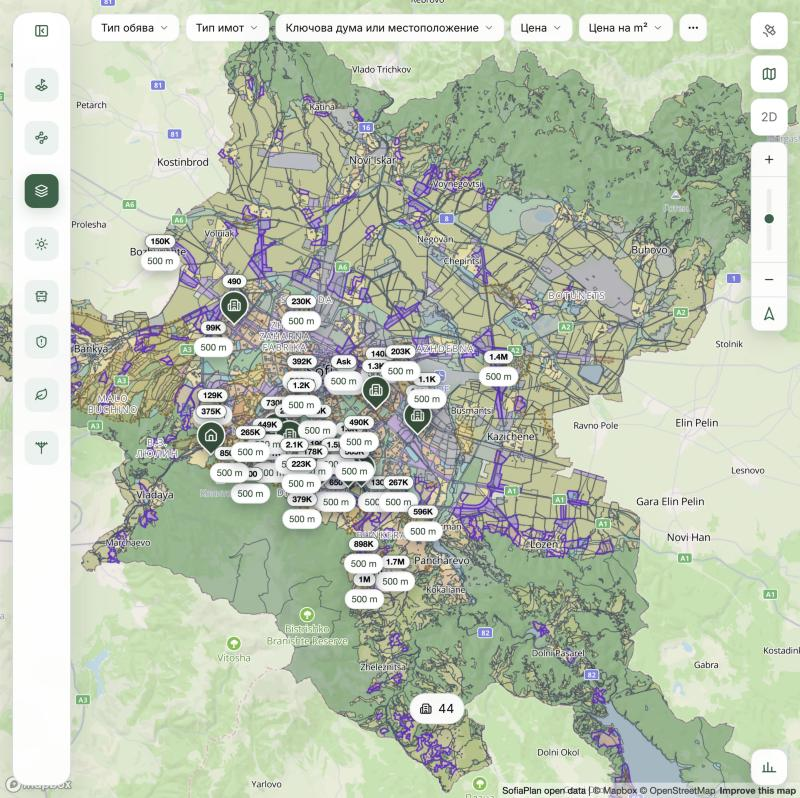
See what may be built around a property
The map's Future development mode colours zoning areas from the municipal plans. Before a viewing you can already see whether housing, public buildings, industry or green space are planned nearby.
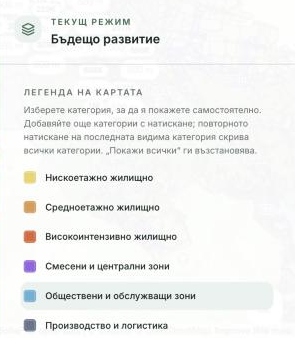
A grouped legend that filters the map
The legend is now grouped by theme — zoning, greenery, parks, development potential. Tap a category to show only it, tap more to add them, and Show all brings everything back.
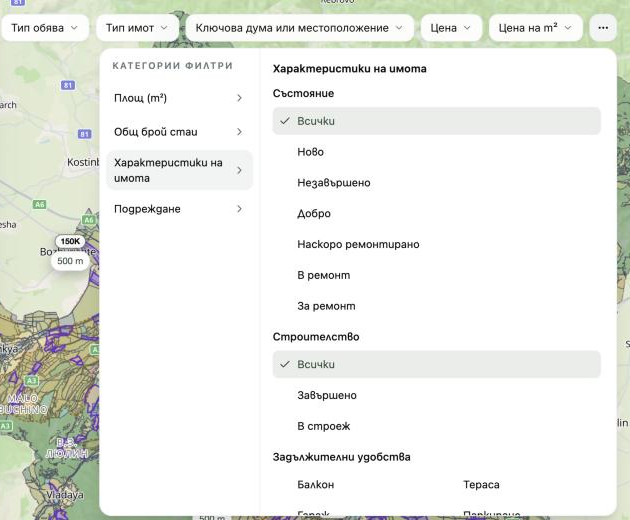
Filters that work on every screen
More filters brings area, room count, property features and sorting into one menu. The menu adapts to your screen size, so it is just as easy to use on a computer as on a phone.
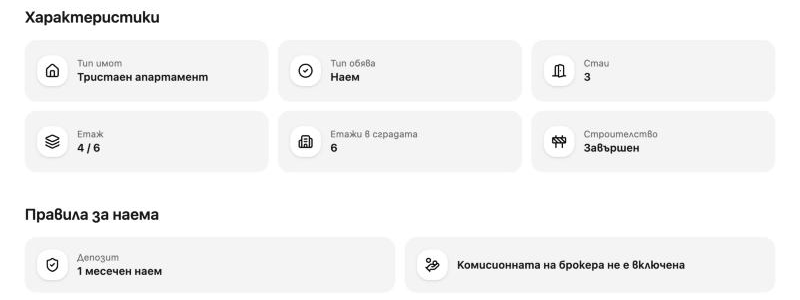
Rental rules, right in the listing
Rental listings show whether pets, children and students are welcome, whether subletting is allowed, the deposit, and whether the broker's commission is included. Owners set the rules in the listing wizard; agencies set them in ATRIUMA Backoffice.
For owners
- Listing statistics: how often your listing is viewed, which photos hold attention and how often it is shared.
- Answer viewing requests straight from My properties.
- Tenant bills: choose which utility accounts your tenants can see.
- You stay signed in after closing the browser.
New in the ATRIUMA iPhone app
The app gets the same map and rental rules, plus a few improvements for faster browsing:
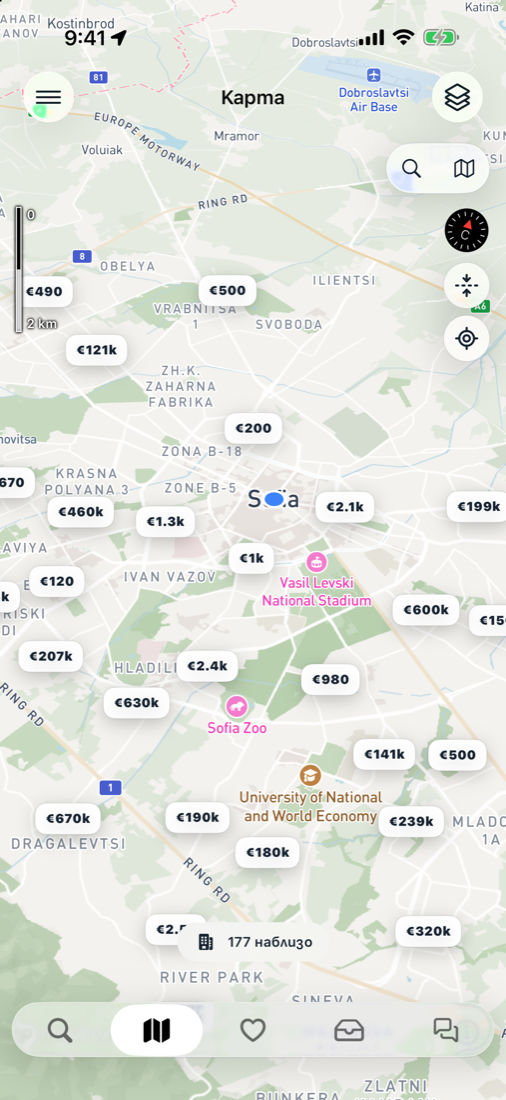
- A map scale that updates as you zoom.
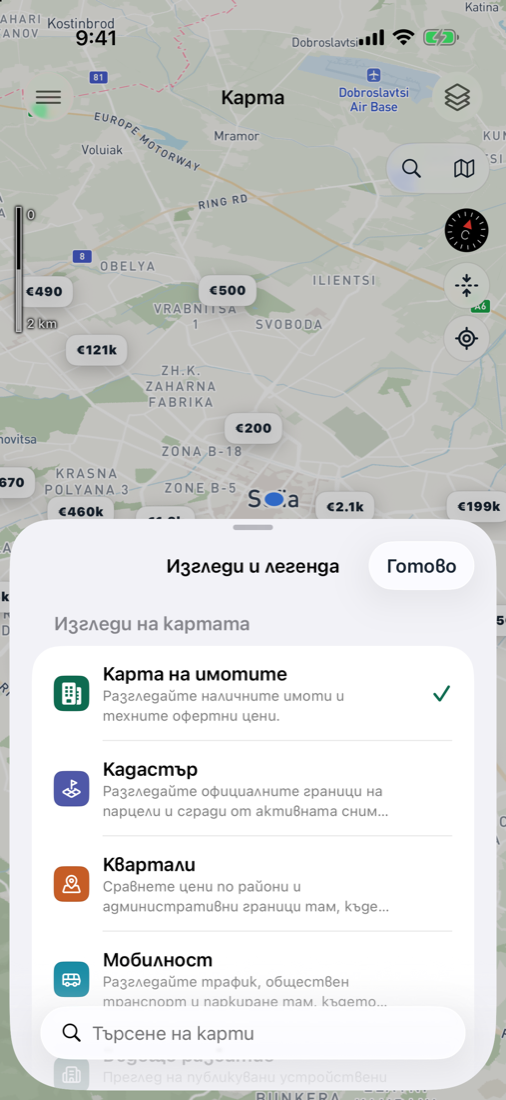
- Views and legend: switch between the property map, cadastre, neighbourhoods, mobility and future development, with compact legends.
- Swipe between tabs: Discover → Map → Saved → Inbox → Conversations, and between the tabs in My properties and on a property page.
- Quick filters in Discover are bubble tabs, alongside your saved searches.
- Pull to refresh with the ATRIUMA animation everywhere, including the owner pages.
- A property's cadastral passport from Settings → Cadastral unit.
- Rental rules appear on listings and are set in the new-listing wizard.
Where to find it
On atriuma.com: Map → Future development and the legend button at the bottom right; More filters in the filter bar; rules in every rental listing. In the app: the Map tab → Views and legend.
Was this article helpful?
Keep reading

ATRIUMA adds Future construction: a new view of Sofia
Building volumes, planning cases and historic documents now come together on one interactive map. Explore Future construction, the new map mode in ATRIUMA.

Where Your Home Budget Goes: Why Tracking Expenses Helps
See where your home budget goes and find what you can change, with a quick expense review in ATRIUMA.